// Galerie
Ashampoo Photo Converter 2 Activation Key
software|Other|3|Software
Nom original: Ashampoo Photo Converter 2
// langues
Fiche technique
- // Développeur
- Ashampoo GmbH & Co. KG
- // Éditeur
- Ashampoo GmbH & Co. KG
Comment activer
Download the trial version here: https://www.ashampoo.com/en-us/photo-converter/ Install the software Activate the key directly in the software
Description
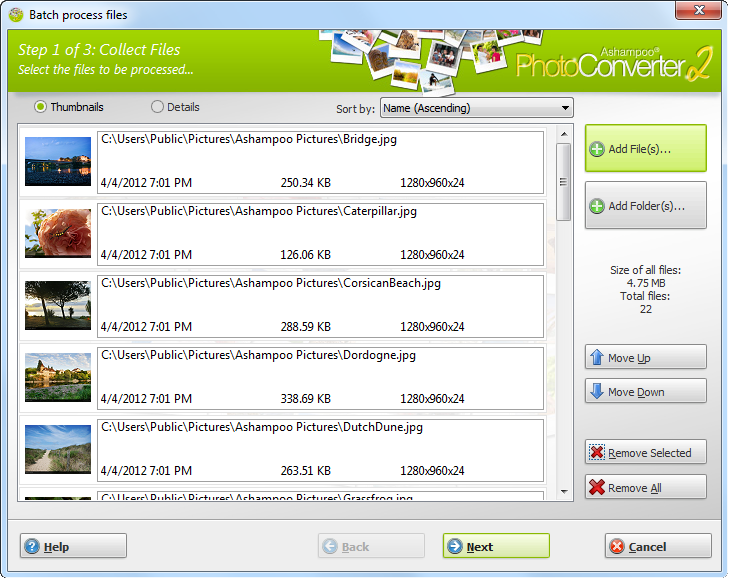
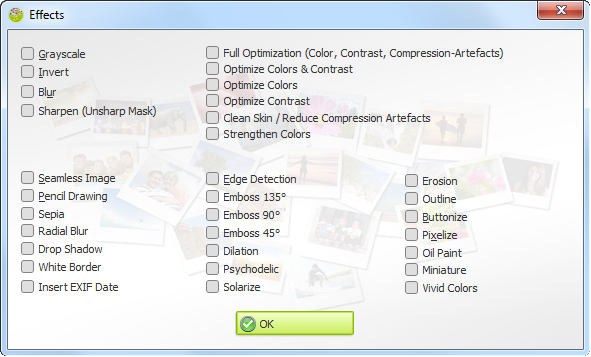
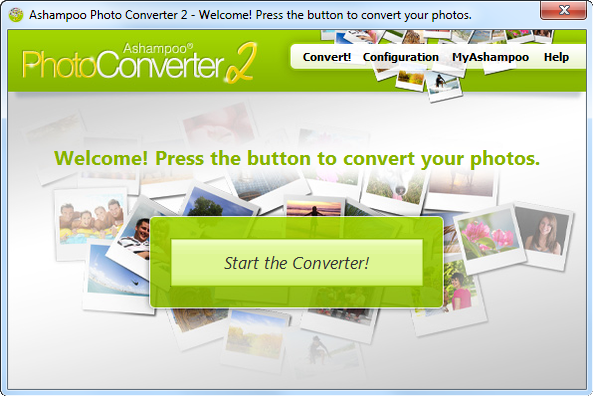
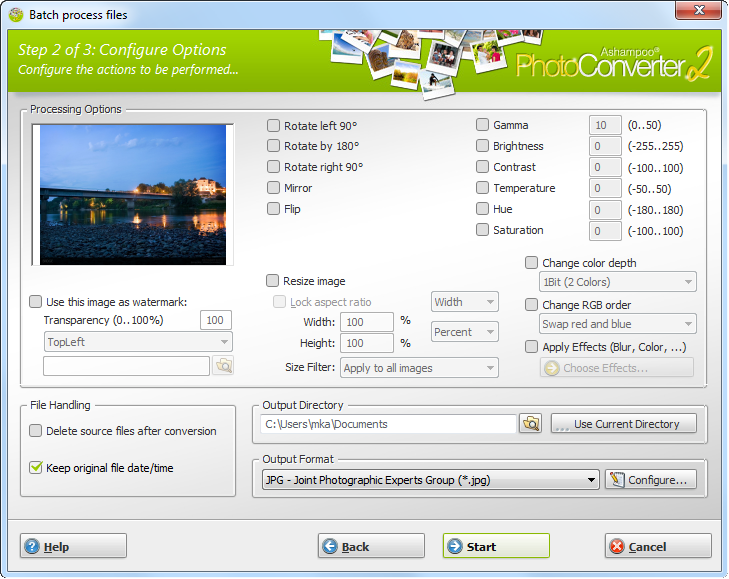
What is Ashampoo Photo Converter 2? Ashampoo Photo Converter 2 is our Swiss army knife to process your photos. No more manual sifting through heaps of photos, Ashampoo Photo Converter 2 processes entire collections in one go, whether it be 1 or 1000 files. Why Ashampoo Photo Converter 2? ... lightweight! Ashampoo Photo Converter 2 requires very little system resources which makes it ideal for both current (multi-core support) and older machines. … fast! Get results quickly. With Ashampoo Photo Converter's no-frills user interface, you will see results in a matter of seconds. … versatile! Convert, align, resize or apply sophisticated color manipulations ... There is no need for expensive image editors because Ashampoo Photo Converter 2 covers all these common image tasks with ease. New in Ashampoo Photo Converter 2 Ashampoo Photo Converter 2 our most comprehensive image converter ever! Our developers were able to greatly enhance the feature set while keeping the user interface well-structured. User Interface No more trial and error. Ashampoo Photo Converter 2 features a live preview, enabling you to freely experiment with the multitude of available features. Optimization Spare yourself the hassle of finetuning colors and contrasts and let Ashampoo Photo Converter 2 auto-determine the best settings for each of your images. And with "Clean Skin", compression artefacts are a thing of the past. Enhanced Color Manipulation Ashampoo Photo Converter 2 gives you access to more sophisticated color parameters such as color temperature, hue and saturation. Artistic Effects Let your imagination run wild with a myriad of artistic effects including Prencil Drawing, Sepia and Oil Painting. The built-in preview provides immediate feedback so feel free to explore. Auto-Insert EXIF Date Modern digital cameras store additional information such as the time an image was taken with each image file. Ashampoo Photo Converter 2 can auto-insert the creation dates into your images to help you keep track of your photos.
Configuration requise
Windows
- You need the 64-bit version for the following operating systems: OS Windows® 11, Windows® 10Any device that supports the operating systems listed above. Other Microsoft Visual C++ 2015 x64 Redistributable An Internet connection is required to activate the program. The program license is verified repeatedly at regular intervals.
Livraison instantanée
Recevez votre clé aussitôt après le paiement
Achat sécurisé
Paiement chiffré et protégé
Clés originales
Produits 100% légitimes et garantis
Support 24/7
Nous sommes là dès que vous en avez besoin
Vous pourriez aussi aimer